Calculate Clips as Packs by Default
This quick guide shows how to change Swiftest so tile clips are calculated and sold in packs rather than individual clips. It walks you through the menu path to set this default per manufacturer and tile, saving time and ensuring orders and estimates reflect pack-based quantities. Follow it to avoid manual conversions and reduce ordering mistakes.
1. Open Swiftest.
2. Click on Product Defaults.
3. Then Tile Defaults.
4. Then click on the Manufacturer of the tile you want to edit (i.e. Redland).
5. Pick the tile you want from the list (i.e. 50 Double Roman).
6. Click 'Calc clips as packs'.
7. Click Close to finish.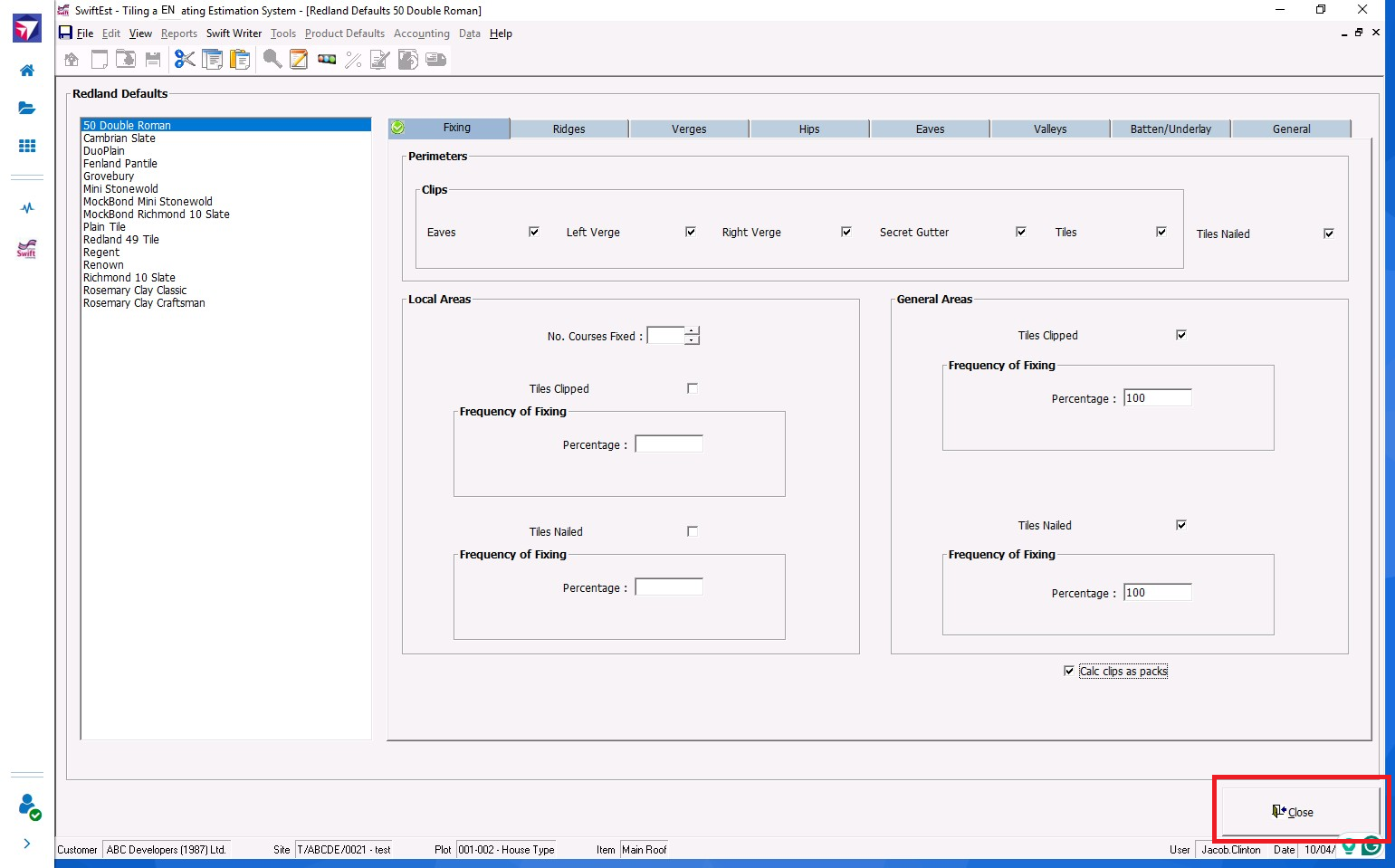
Related Articles
How to change user permissions in Swiftest Classic
This guide quickly shows how to locate a user in Swiftest Classic and change their permissions using simple checkboxes. It’s useful for admins who need to update access rights efficiently without navigating complex menus. Follow it to confidently ...